> For the complete documentation index, see [llms.txt](https://help.form.io/llms.txt). Markdown versions of documentation pages are available by appending `.md` to page URLs; this page is available as [Markdown](https://help.form.io/deploy/pdf-solution.md).
# PDF Solution
The Form.io platform offers two PDF offerings for its hosted and deployed users.
## **PDF Basic**
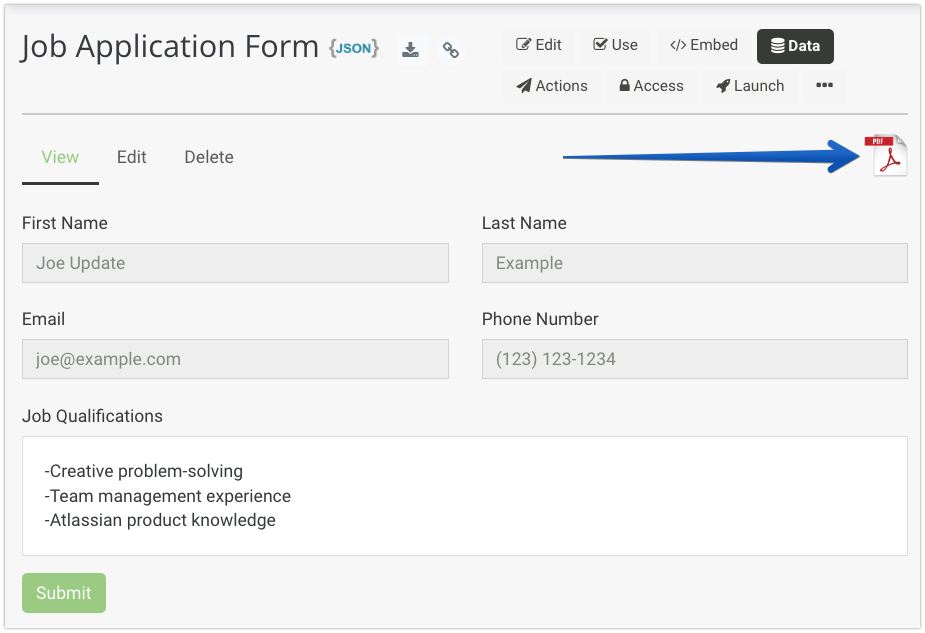
PDF Basic enables the ability to print and download webform submissions as a PDF download.
[**Click Here for Documentation**](/form-building/pdf-forms/pdf-basic-vs-pdf-plus.md#pdf-basic)
* Available with the hosted SaaS or as an Enterprise configuration for self-hosted deployments
* Click the PDF icon when viewing any webform submissions within the Form.io portal to download the submission as a PDF.
* Incorporate the PDF button into your application to provide PDF output functionality
## **PDF Plus**
PDF Plus not only includes the same printable PDFs included with PDF Basic, but also offers several additional PDF-related features for self-hosted deployments.
[**Click Here for Documentation**](/form-building/pdf-forms/pdf-basic-vs-pdf-plus.md#pdf-plus)
* [**PDF Template Designer**](/form-building/pdf-forms/pdf-template-designer.md) -Design the output of PDF downloads of your webform submissions. These template designs can take the data from your webforms and output the data into a customized PDF for things like receipts, mailers, contracts, quotes, etc.
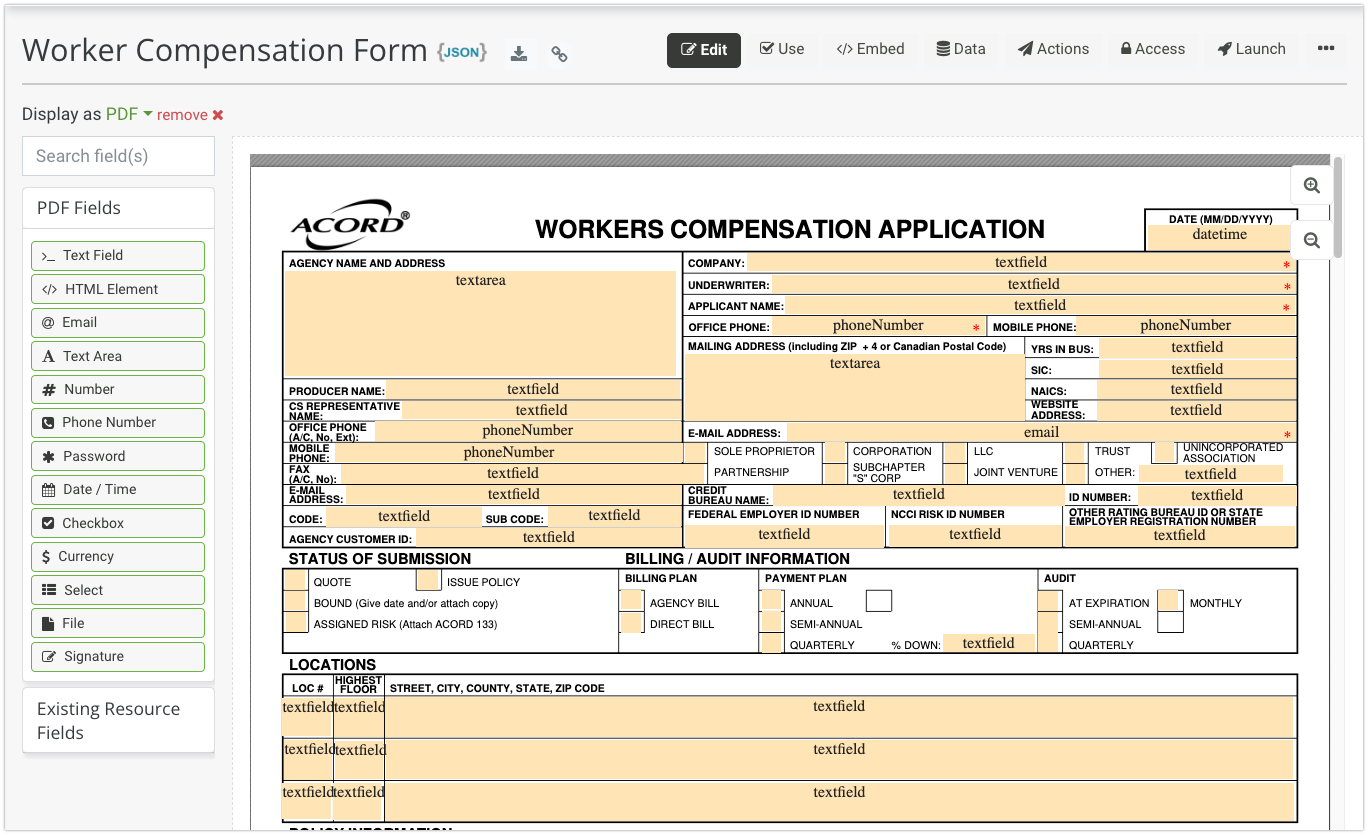
* [**PDF Forms**](/form-building/pdf-forms.md) - Convert traditional PDFs to JSON-driven webforms with pixel-perfect backgrounds by adding digital components on top of the PDF background.
* [**PDF Conversion**](/form-building/pdf-forms/pdf-basic-vs-pdf-plus.md#pdf-conversion)
* Fillable - Takes existing PDF XML data and converts to a JSON-driven Form.io PDF form.
* NonFillable (textract) - Utilizes AWS Textract to detect fields on the PDF Form and converts them into JSON-driven Form.io components.
---
# Agent Instructions
This documentation is published with GitBook. GitBook is the documentation platform designed so that both humans and AI agents can read, navigate, and reason over technical content effectively. Learn more at gitbook.com.
## Querying This Documentation
If you need additional information that is not directly available in this page, you can query the documentation dynamically by asking a question.
Perform an HTTP GET request on the current page URL with the `ask` query parameter, and the optional `goal` query parameter:
```
GET https://help.form.io/deploy/pdf-solution.md?ask=&goal=
```
`ask` is the immediate question: it should be specific, self-contained, and written in natural language.
`goal` is optional and describes the broader end goal you are ultimately trying to accomplish on behalf of the user. GitBook uses it to tailor the answer towards what is most useful for that goal.
The response will contain a direct answer to the question and relevant excerpts and sources from the documentation.
Use this mechanism when the answer is not explicitly present in the current page, you need clarification or additional context, or you want to retrieve related documentation sections.